myConfig
Date: Nov 8, 2026
-
etc/
-
nixos/
-
flake.lock
{ "nodes": { "flake-compat": { "flake": false, "locked": { "lastModified": 1777699697, "narHash": "sha256-Eg9b/rq/ECYwNwEXs5i9wHyhxNI0JrYx2srdI2uZMaQ=", "ref": "refs/heads/main", "rev": "382052b74656a369c5408822af3f2501e9b1af81", "revCount": 94, "type": "git", "url": "https://git.lix.systems/lix-project/flake-compat.git" }, "original": { "type": "git", "url": "https://git.lix.systems/lix-project/flake-compat.git" } }, "mnw": { "locked": { "lastModified": 1780772958, "narHash": "sha256-VKKe8r4pwCGWZ3Yr9CPN129R4S3CKLSrlYqdYz3vKpM=", "owner": "Gerg-L", "repo": "mnw", "rev": "0871dbf63a53610c95db04439ed8ea4d6ec9c160", "type": "github" }, "original": { "owner": "Gerg-L", "repo": "mnw", "type": "github" } }, "nixpkgs": { "locked": { "lastModified": 1788584326, "narHash": "sha256-Fd3OB8J9JhgliQwOKcqx4M672CInxi1I5VnwsaXeSQo=", "owner": "nixos", "repo": "nixpkgs", "rev": "6713828a351efa628b025a1adf7f43cbf8597513", "type": "github" }, "original": { "owner": "nixos", "ref": "nixos-26.05", "repo": "nixpkgs", "type": "github" } }, "nixpkgs_2": { "locked": { "lastModified": 1787498568, "narHash": "sha256-FoOSoBG7tEvOlGRTpWnVdY506Ner4y7r7UYO3OGgmE8=", "rev": "56c02bc00adcf003215cc4bd996d6efaf4cff188", "type": "tarball", "url": "https://releases.nixos.org/nixos/unstable/nixos-26.11pre1060451.56c02bc00adc/nixexprs.tar.xz" }, "original": { "type": "tarball", "url": "https://channels.nixos.org/nixos-unstable/nixexprs.tar.xz" } }, "nvf": { "inputs": { "flake-compat": "flake-compat", "mnw": "mnw", "nixpkgs": "nixpkgs_2" }, "locked": { "lastModified": 1788494938, "narHash": "sha256-ozY1uUiOLXt3KLpUQwu8Y1DG+lKa53Gke7NW9gvUu3I=", "owner": "notashelf", "repo": "nvf", "rev": "5e4f212f8720c17fdd06f5c57591f251aff67453", "type": "github" }, "original": { "owner": "notashelf", "repo": "nvf", "type": "github" } }, "root": { "inputs": { "nixpkgs": "nixpkgs", "nvf": "nvf" } } }, "root": "root", "version": 7 } -
flake.nix
{ description = "Multi-host NixOS Configuration"; inputs = { nixpkgs.url = "github:nixos/nixpkgs/nixos-26.05"; nvf.url = "github:notashelf/nvf"; }; outputs = { self, nixpkgs, nvf, ... }@inputs: { nixosConfigurations = { # Configuration for Host A (Arugala) Arugala = nixpkgs.lib.nixosSystem { system = "x86_64-linux"; specialArgs = { inherit inputs; }; modules = [ ./hosts/arugala/configuration.nix ./hosts/arugala/modules nvf.nixosModules.default ]; }; # Configuration for Host B (Limburger) Limburger = nixpkgs.lib.nixosSystem { system = "x86_64-linux"; specialArgs = { inherit inputs; }; modules = [ ./hosts/limburger/configuration.nix ./hosts/limburger/modules nvf.nixosModules.default ]; }; }; }; } -
hosts/
-
arugala/
-
configuration.nix
{ lib, config, pkgs, ... }: { imports = [ ./hardware-configuration.nix ./modules/default.nix ../../shared-modules/default.nix ]; boot.loader.systemd-boot.enable = true; boot.loader.efi.canTouchEfiVariables = true; boot.kernelPackages = pkgs.linuxPackages_latest; networking.hostName = "Arugala"; swapDevices = lib.mkForce [ ]; nix.settings.experimental-features = [ "nix-command" "flakes" ]; system.stateVersion = "21.05"; # Don't Change } -
hardware-configuration.nix
# Do not modify this file! It was generated by ‘nixos-generate-config’ # and may be overwritten by future invocations. Please make changes # to /etc/nixos/configuration.nix instead. { config, lib, pkgs, modulesPath, ... }: { imports = [ (modulesPath + "/installer/scan/not-detected.nix") ]; boot.initrd.availableKernelModules = [ "xhci_pci" "ahci" "usbhid" "uas" "sd_mod" ]; boot.initrd.kernelModules = [ ]; boot.kernelModules = [ "kvm-intel" ]; boot.extraModulePackages = [ ]; fileSystems."/" = { device = "/dev/disk/by-uuid/bb449348-6adc-40f4-9671-99aabc5bfb81"; fsType = "ext4"; }; fileSystems."/boot" = { device = "/dev/disk/by-uuid/DDD9-41EE"; fsType = "vfat"; }; swapDevices = [ { device = "/dev/disk/by-uuid/24e89e47-fb9b-4b6a-97c8-ef612c88f856"; } ]; # Enables DHCP on each ethernet and wireless interface. In case of scripted networking # (the default) this is the recommended approach. When using systemd-networkd it's # still possible to use this option, but it's recommended to use it in conjunction # with explicit per-interface declarations with `networking.interfaces.<interface>.useDHCP`. networking.useDHCP = lib.mkDefault true; # networking.interfaces.enp3s0.useDHCP = lib.mkDefault true; # networking.interfaces.virbr0.useDHCP = lib.mkDefault true; # networking.interfaces.wlp4s0.useDHCP = lib.mkDefault true; nixpkgs.hostPlatform = lib.mkDefault "x86_64-linux"; powerManagement.cpuFreqGovernor = lib.mkDefault "powersave"; hardware.cpu.intel.updateMicrocode = lib.mkDefault config.hardware.enableRedistributableFirmware; } -
modules/
-
default.nix
{ lib, ... }: { imports = [ ./packages.nix ./firewall.nix ./libinput.nix ]; } -
firewall.nix
{ pkgs, lib, ... }: { # Open ports in the firewall. networking.firewall = { allowedTCPPorts = [ ] ; allowedUDPPorts = [ ]; #enable = false; }; #services.opensnitch = { # enable = true; # rules = { # systemd-timesyncd = { # name = "systemd-timesyncd"; # enabled = true; # action = "allow"; # duration = "always"; # operator = { # type ="simple"; # sensitive = false; # operand = "process.path"; # data = "${lib.getBin pkgs.systemd}/lib/systemd/systemd-timesyncd"; # }; # }; # systemd-resolved = { # name = "systemd-resolved"; # enabled = true; # action = "allow"; # duration = "always"; # operator = { # type ="simple"; # sensitive = false; # operand = "process.path"; # data = "${lib.getBin pkgs.systemd}/lib/systemd/systemd-resolved"; # }; # }; # }; #}; } -
libinput.nix
{ ... }: { services.libinput.enable = true; services.xserver.config = '' Section "InputClass" Identifier "mouse accel" Driver "libinput" MatchIsPointer "on" Option "AccelProfile" "flat" Option "AccelSpeed" "0" EndSection ''; services.libinput.mouse.middleEmulation = false; } -
packages.nix
{ pkgs, ... }: { nixpkgs.config = { allowUnfree = true; }; # List packages installed in system profile. To search, run: # $ nix search wget environment.systemPackages = with pkgs; [ # Ethtool chatgpt shit ethtool #ESSENTIAL PACKAGES wget git curl python3 flatpak neovim unzip zip tmux lm_sensors pfetch baobab gnome-disk-utility xclip picom openvpn gcc i3 dmenu alacritty nitrogen waytrogen swaybg rofi redshift seahorse #NON ESSENTIAL PACKAGES gucharmap otpclient gimp krita shotwell flameshot gnome-calculator gnome-system-monitor fastfetch usbutils # Normal apps wireshark dig yt-dlp virt-manager spice-gtk libreoffice lxappearance libratbag piper mumble #Financial monero-gui electrum #Containerization docker-compose #Networking pkgs.networkmanager-openvpn tcpdump nmap syncthing traceroute openvpn opensnitch-ui #File Stuff tldr ngrep font-awesome docker-compose distrobox file-roller nemo #i3 Stuff i3blocks #Fonts caladea carlito #Web Dev hugo # Themes nwg-look gruvbox-material-gtk-theme numix-solarized-gtk-theme everforest-gtk-theme everforest-cursors vimix-icon-theme # Sway grim slurp wl-clipboard mako waybar # Network Tunneling wireguard-tools proton-vpn # Pci shit pciutils ]; fonts.packages = with pkgs; [ nerd-fonts.hack font-awesome powerline-fonts ]; programs.wireshark.enable = true; programs.obs-studio = { enable = true; plugins = with pkgs.obs-studio-plugins; [ wlrobs obs-backgroundremoval obs-pipewire-audio-capture ]; }; programs.steam = { enable = true; remotePlay.openFirewall = true; # Open ports in the firewall for Steam Remote Play dedicatedServer.openFirewall = true; # Open ports in the firewall for Source Dedicated Server localNetworkGameTransfers.openFirewall = true; # Open ports in the firewall for Steam Local Network Game Transfers }; environment.shellAliases = { rebuild-arugala = "doas nixos-rebuild switch --flake /etc/nixos#Arugala"; }; } -
waydroid.nix
{ config, pkgs, ... }:

{
  virtualisation.waydroid.enable = true;
}
-
-
-
limburger/
-
configuration.nix
# your system. Help is available in the configuration.nix(5) man page # and in the NixOS manual (accessible by running ‘nixos-help’). { config, pkgs, ... }: { imports = [ # Include the results of the hardware scan. ./hardware-configuration.nix ./modules/default.nix ../../shared-modules/default.nix ]; # Bootloader. boot.loader.systemd-boot.enable = true; boot.loader.efi.canTouchEfiVariables = true; boot.kernelPackages = pkgs.linuxPackages_latest; # Setup keyfile boot.initrd.secrets = { "/crypto_keyfile.bin" = null; }; # Enable Flakes nix.settings.experimental-features = [ "nix-command" "flakes" ]; networking.hostName = "Limburger"; # Define your hostname. system.stateVersion = "23.05"; # Did you read the comment? } -
hardware-configuration.nix
# Do not modify this file! It was generated by ‘nixos-generate-config’ # and may be overwritten by future invocations. Please make changes # to /etc/nixos/configuration.nix instead. { config, lib, pkgs, modulesPath, ... }: { imports = [ (modulesPath + "/installer/scan/not-detected.nix") ]; boot.initrd.availableKernelModules = [ "xhci_pci" "nvme" "usb_storage" "sd_mod" ]; boot.initrd.kernelModules = [ ]; boot.kernelModules = [ "kvm-intel" ]; boot.extraModulePackages = [ ]; fileSystems."/" = { device = "/dev/disk/by-uuid/30113a68-2b13-44b8-bccb-196d67dad8f1"; fsType = "ext4"; }; boot.initrd.luks.devices."luks-15679ece-3c06-445b-930a-ad90cef86323".device = "/dev/disk/by-uuid/15679ece-3c06-445b-930a-ad90cef86323"; fileSystems."/boot" = { device = "/dev/disk/by-uuid/F8B3-A9D9"; fsType = "vfat"; }; swapDevices = [ ]; # Enables DHCP on each ethernet and wireless interface. In case of scripted networking # (the default) this is the recommended approach. When using systemd-networkd it's # still possible to use this option, but it's recommended to use it in conjunction # with explicit per-interface declarations with `networking.interfaces.<interface>.useDHCP`. networking.useDHCP = lib.mkDefault true; # networking.interfaces.enp0s31f6.useDHCP = lib.mkDefault true; # networking.interfaces.wlp3s0.useDHCP = lib.mkDefault true; nixpkgs.hostPlatform = lib.mkDefault "x86_64-linux"; powerManagement.cpuFreqGovernor = lib.mkDefault "powersave"; hardware.cpu.intel.updateMicrocode = lib.mkDefault config.hardware.enableRedistributableFirmware; } -
modules/
-
default.nix
{ config, pkgs, ... }: { imports = [ ./packages.nix ./firewall.nix ./printers.nix ./power.nix ]; } -
firewall.nix
{ config, ... }: #config added for nat { # Open ports in the firewall. networking.firewall = { #allowedUDPPorts = [ ]; allowedTCPPorts = [ 9999 ]; }; # Or disable the firewall altogether. # networking.firewall.enable = false; } -
packages.nix
{ pkgs, config, ... }: { hardware.bluetooth = { enable = true; powerOnBoot = false; }; services.blueman.enable = true; environment.systemPackages = with pkgs; [ wget neovim alacritty git curl tmux unzip zip ## Networking networkmanager-openvpn mtr blueman ## Window Manager & Desktop i3 xfce.xfce4-whiskermenu-plugin libreoffice gimp xfce.thunar arc-theme plata-theme vimix-icon-theme ## Misc alsa-utils pamixer tldr xkill iperf fastfetch numix-cursor-theme file-roller gnome-system-monitor gnome-disk-utility btop nitrogen mpd ncmpcpp veracrypt obs-studio wireshark nmap dig dezoomify-rs lm_sensors flameshot lxappearance rofi git lua i3blocks picom yt-dlp xclip whois traceroute mtr #shellcheck redshift #ntfs3g gucharmap hugo #qtox ## Virtualisation & Containerisation docker-compose podman-compose distrobox virt-manager ## Services cloudflared brightnessctl acpi # Network Tunnels wireguard-tools ]; fonts.packages = with pkgs; [ nerd-fonts.hack font-awesome powerline-fonts ]; programs.obs-studio = { enable = true; plugins = with pkgs.obs-studio-plugins; [ wlrobs obs-backgroundremoval obs-pipewire-audio-capture ]; }; services.fwupd.enable = true; environment.shellAliases = { rebuild-limburger = "doas nixos-rebuild switch --flake /etc/nixos#Limburger"; }; } -
power.nix
{ config, ... }: { # power settings services.hardware.bolt.enable = true; services.auto-cpufreq.enable = true; services.auto-cpufreq.settings = { battery = { governor = "balance"; turbo = "never"; }; charger = { governor = "balance"; turbo = "never"; }; }; services.thermald.enable = true; } -
printers.nix
{...}:
{
  services = {
    avahi = {
      enable = true;
      nssmdns4 = true;
      openFirewall = true;
    };
    printing.enable = true;
  };
}
-
-
-
-
shared-modules/
-
.zshrc
# Prompt PS1=" %F{white}%F{blue}%B%n%F{yellow}@%F{grey}%m%F{#828482} %~ "$'\n %F{white1}↪ '"%F{reset}" PATH=$PATH:$HOME/Documents/projects/shellScripts/ NVIMPATH=$(whereis nvim | cut -d " " -f2) export EDITOR=$NVIMPATH # History in cache directory: HISTSIZE=100 SAVEHIST=100 HISTFILE=~/.cache/zsh/history # Basic auto/tab complete: autoload -U compinit zstyle ':completion:*' menu select zstyle ':completion:*' matcher-list 'm:{a-zA-Z}={A-Za-z}' zmodload zsh/complist compinit _comp_options+=(globdots) # Include hidden files. # vi mode bindkey -v export KEYTIMEOUT=1 # Edit line in vim with ctrl-e: autoload edit-command-line; zle -N edit-command-line bindkey '^e' edit-command-line # Aliases source $HOME/.sh_aliases -
default.nix
{ lib, ... }: { imports = [ ./locale.nix ./users.nix ./virtualisation.nix ./networking.nix ./xfcei3.nix ./hardware.nix ./services.nix ./nvf.nix ]; } -
familyshare.nix
{ pkgs, config, ... }: { environment.systemPackages = [ pkgs.rclone ]; environment.etc."rclone-mnt.conf".text = '' [poodle] type = sftp user = poodle host = 192.168.1.8 port = 42069 key_file = /home/sarcasticdream/.ssh/id_rsa shell_type = unix md5sum_command = md5sum sha1sum_command = sha1sum ''; fileSystems."/home/sarcasticdream/kunze_share" = { device = "poodle:/mnt/hdd01/kunze_share"; fsType = "rclone"; options = [ "nodev" "nofail" "allow_other" "args2env" "config=/etc/rclone-mnt.conf" "x-systemd.automount" "x-systemd.idle-timeout=600" "_netdev" ]; }; } -
hardware.nix
{ pkgs, config, ... }: { #hardware = { #pulseaudio.enable = true; #graphics = { # #driSupport32Bit = true; # extraPackages32 = with pkgs.pkgsi686Linux; [ libva ]; # extraPackages = with pkgs; [ # rocmPackages.clr.icd # ]; #}; #}; #sound.enable = true; #services.pipewire.enable = true; powerManagement = { enable = true; cpuFreqGovernor = "powersave"; }; # rtkit is optional but recommended security.rtkit.enable = true; services.pipewire = { enable = true; # if not already enabled alsa.enable = true; alsa.support32Bit = true; pulse.enable = true; # If you want to use JACK applications, uncomment this #jack.enable = true; }; } -
locale.nix
{ config, ... }: { # Set your time zone. time.timeZone = "America/Chicago"; # Select internationalisation properties. i18n.defaultLocale = "en_US.UTF-8"; i18n.extraLocaleSettings = { LC_ADDRESS = "en_US.UTF-8"; LC_IDENTIFICATION = "en_US.UTF-8"; LC_MEASUREMENT = "en_US.UTF-8"; LC_MONETARY = "en_US.UTF-8"; LC_NAME = "en_US.UTF-8"; LC_NUMERIC = "en_US.UTF-8"; LC_PAPER = "en_US.UTF-8"; LC_TELEPHONE = "en_US.UTF-8"; LC_TIME = "en_US.UTF-8"; }; } -
lua/
-
remap.lua
vim.g.mapleader = " "
vim.keymap.set("n", "<leader>zx", vim.cmd.Ex)
vim.keymap.set("n", "<leader>xz", vim.cmd.Rex)

-- Mega based netrw file manager
vim.keymap.set("n", "<leader>zx", vim.cmd.Ex)

-- Remap ,cc to comment the current line in normal mode
vim.keymap.set('n', ',cc', 'gcc', { remap = true, desc = 'Toggle comment line' })

-- Optional: If you also want to comment visual selections using ,cc
vim.keymap.set('v', ',cc', 'gc', { remap = true, desc = 'Toggle comment selection' })

-- Replace all shiz
vim.api.nvim_set_keymap('n', 'S', ':%s//g<Left><Left>', { noremap = true })

-- splitting
vim.api.nvim_set_keymap('n', '<C-o>', '<C-w>s', { noremap = true })
vim.api.nvim_set_keymap('n', '<C-p>', '<C-w>v', { noremap = true })

-- Closing windows
vim.api.nvim_set_keymap('n', '<C-q>', '<C-w>c', { noremap = true })

-- Move to the next/previous tab with Alt-1/Alt-2
vim.api.nvim_set_keymap('n', '<A-1>', ':tabmove +<CR>', { noremap = true, silent = true })
vim.api.nvim_set_keymap('n', '<A-2>', ':tabmove -<CR>', { noremap = true, silent = true })

-- Map Tab to gt and Shift-Tab to gT
vim.api.nvim_set_keymap('n', '<Tab>', 'gt', { noremap = true })
vim.api.nvim_set_keymap('n', '<S-Tab>', 'gT', { noremap = true })

-- Create a new tab with Alt-t
vim.api.nvim_set_keymap('n', '<A-t>', ':tabnew<CR>', { noremap = true, silent = true })

-- Map Esc to Ctrl-\
vim.api.nvim_set_keymap('t', '<Esc>', '<C-\\><C-n>', { noremap = true })
-
-
networking.nix
{ pkgs, ... }: { systemd.services.NetworkManager-wait-online.enable = false; networking = { #hostName = "Arugala"; Defined in configuration.nix due to flakes networkmanager = { enable = true; plugins = with pkgs; [ networkmanager-openvpn ]; }; #useDHCP = false; #defaultGateway = "192.168.1.1"; #nameservers = [ "192.168.1.1" ]; #bridges = { # "br0" = { # interfaces = [ "enp8s0" ]; # }; #}; #interfaces.br0.ipv4 = { # addresses = [ { # address = "192.168.1.88"; # prefixLength = 24; # } ]; #}; }; } -
nvf.nix
{ pkgs, nvf, lib, ... }: { programs.nvf = { enable = true; settings.vim = { luaConfigRC.remap = builtins.readFile ./lua/remap.lua; viAlias = true; vimAlias = true; options = { shiftwidth = 2; tabstop = 2; softtabstop = 2; expandtab = true; autoindent = true; smartindent = true; swapfile = false; backup = false; undofile = true; incsearch = true; hlsearch = false; cursorline = true; mouse = "a"; termguicolors = true; clipboard = "unnamedplus"; showmode = false; laststatus = 3; }; theme = { enable = true; name = "solarized"; style = "dark"; transparent = true; }; keymaps = [ { key = "<leader>e"; mode = "n"; action = "<cmd>lua vim.diagnostic.open_float()<CR>"; silent = true; } ]; autocomplete = { nvim-cmp = { enable = true; sourcePlugins = [ pkgs.vimPlugins.cmp-path ]; sources = { path = "[Path]"; buffer = "[Buffer]"; nvim_lsp = "[LSP]"; }; }; }; lsp = { enable = true; servers = { nil_ls.enable = true; }; }; languages = { nix.enable = true; python.enable = true; html.enable = true; css.enable = true; markdown.enable = true; bash.enable = true; }; luaConfigPre = '' vim.opt.listchars = { tab = '>-', trail = '-', extends = '>', precedes = '<' } vim.opt.undodir = os.getenv("HOME") .. "/.config/nvim/undodir" ''; statusline.lualine = { enable = true; setupOpts = { options = { globalstatus = true; }; }; }; luaConfigPost = '' require('lualine').setup({ options = { theme = 'auto', section_separators = { left = '', right = '' }, }, sections = { lualine_b = { { 'filename', path = 3, file_status = true, shorting_target = 40, symbols = { modified = ' ', readonly = ' ', unnamed = ' [No Name]', newfile = ' [New]', }, }, }, }, }) ''; telescope.enable = true; }; }; } -
services.nix
{ pkgs, ... }: { # Configure keymap in X11 services.xserver.xkb.layout = "us"; # services.xserver.xkbOptions = "eurosign:e"; # services.monero.enable = true; # Allow unfree packages nixpkgs.config.allowUnfree = true; services.libinput.enable = true; programs.dconf.enable = true; services.flatpak.enable = true; programs.wireshark.enable = true; services.gnome.gnome-keyring.enable = true; services.ratbagd.enable = true; services.gvfs.enable = true; xdg.portal = { enable = true; wlr.enable = true; extraPortals = with pkgs; [ xdg-desktop-portal-gtk ]; }; nix.gc = { automatic = true; dates = "weekly"; options = "--delete-older-than 7d"; }; } -
sway/
-
bindings/
-
bindconf
# start a terminal
bindsym Mod1+Return exec xfce4-terminal
bindsym XF86AudioRaiseVolume exec wpctl set-volume -l 1.5 @DEFAULT_AUDIO_SINK@ 5%+ ; exec pkill -SIGRTMIN+10 i3blocks
bindsym XF86AudioLowerVolume exec wpctl set-volume @DEFAULT_AUDIO_SINK@ 5%- ; exec pkill -SIGRTMIN+10 i3blocks
#include ~/.config/sway/bindings/bindconf
bindsym $mod+Return exec alacritty -e tmux new-session -A -s main
bindsym $mod+Shift+e exec ~/.config/sway/powermenu
#bindsym $mod+Shift+e exec sway exit

# kill focused window
bindsym $mod+Shift+q kill
                            #APPLICATION LAUNCHER#
# start dmenu (a program launcher)
# bindsym $mod+d exec dmenu_run
bindsym Mod1+d exec rofi -show drun -wayland-layer overlay
#bindsym Mod1+Shift+l exec xflock4
#bindsym Mod1+Tab exec rofi -show window
#bindsym Mod1+p exec xfce4-popup-whiskermenu
#bindsym Mod1+s exec xfce4-appfinder
#for_window [class="Xfce4-appfinder" instance="xfce4-appfinder"] floating enable
                            #APPLICATION LAUNCHER#
# change focus
bindsym $mod+j focus left
bindsym $mod+k focus down
bindsym $mod+l focus up
bindsym $mod+semicolon focus right

# alternatively, you can use the cursor keys:
bindsym $mod+Left focus left
bindsym $mod+Down focus down
bindsym $mod+Up focus up
bindsym $mod+Right focus right

# move focused window
bindsym $mod+Shift+j move left
bindsym $mod+Shift+k move down
bindsym $mod+Shift+l move up
bindsym $mod+Shift+semicolon move right

# alternatively, you can use the cursor keys:
bindsym $mod+Shift+Left move left
bindsym $mod+Shift+Down move down
bindsym $mod+Shift+Up move up
bindsym $mod+Shift+Right move right

# split in horizontal orientation
bindsym $mod+h split h

# split in vertical orientation
bindsym $mod+v split v

# enter fullscreen mode for the focused container
bindsym $mod+f fullscreen toggle

# change container layout (stacked, tabbed, toggle split)
bindsym $mod+s layout stacking
bindsym $mod+w layout tabbed
bindsym $mod+e layout toggle split

# toggle tiling / floating
bindsym $mod+Shift+space floating toggle

# change focus between tiling / floating windows
bindsym $mod+space focus mode_toggle

# focus the parent container
bindsym $mod+a focus parent

# switch to workspace
bindsym $mod+1 workspace $ws1
bindsym $mod+2 workspace $ws2
bindsym $mod+3 workspace $ws3
bindsym $mod+4 workspace $ws4
bindsym $mod+5 workspace $ws5
bindsym $mod+6 workspace $ws6
bindsym $mod+7 workspace $ws7
bindsym $mod+8 workspace $ws8
bindsym $mod+9 workspace $ws9
bindsym $mod+0 workspace $ws10

# move focused container to workspace
bindsym $mod+Shift+1 move container to workspace $ws1
bindsym $mod+Shift+2 move container to workspace $ws2
bindsym $mod+Shift+3 move container to workspace $ws3
bindsym $mod+Shift+4 move container to workspace $ws4
bindsym $mod+Shift+5 move container to workspace $ws5
bindsym $mod+Shift+6 move container to workspace $ws6
bindsym $mod+Shift+7 move container to workspace $ws7
bindsym $mod+Shift+8 move container to workspace $ws8
bindsym $mod+Shift+9 move container to workspace $ws9
bindsym $mod+Shift+0 move container to workspace $ws10

# Move roskpaces between monitors
# Move workspaces betweeen monitors
bindsym $mod+Control+p move workspace to output DP-2
bindsym $mod+Control+n move workspace to output HDMI-1
bindsym $mod+Control+l move workspace to output right
bindsym $mod+Control+k move workspace to output left
#bindsym $mod+Control+j move workspace to output down
#bindsym $mod+Control+k move workspace to output up
bindsym $mod+Tab workspace back_and_forth

# reload the configuration file
bindsym $mod+Shift+r reload

bindsym $mod+r mode "resize"

bindsym Mod1+a exec flameshot gui
bindsym Print exec flameshot gui

# change gaps size
bindsym $mod+Shift+t gaps inner current set 4; gaps outer current set 0
bindsym $mod+Shift+s gaps inner current plus 4
bindsym $mod+Shift+f gaps inner current minus 4
bindsym $mod+Shift+d gaps inner current set 0; gaps outer current set 0

# Program Launches
bindsym Mod1+Shift+d exec --no-startup-id nemo
bindsym Mod1+Shift+m exec --no-startup-id alacritty -e ncmpcpp
bindsym Mod1+Shift+k exec pkill mpd
#bindsym Mod1+l exec pkill xfce4-panel


# Swaylock
bindsym Mod1+Shift+l exec swaylock \
  --color 002b36 \
  --font "JetBrainsMono Nerd Font" \
  --font-size 32 \
  --indicator-radius 100 \
  --indicator-thickness 5 \
  --inside-color 002b36 \
  --ring-color 586e75 \
  --line-color 002b36 \
  --inside-clear-color 002b36 \
  --ring-clear-color 93a1a1 \
  --inside-ver-color 002b36 \
  --ring-ver-color 268bd2 \
  --inside-wrong-color 002b36 \
  --ring-wrong-color dc322f \
  --key-hl-color b58900 \
  --bs-hl-color dc322f \
  --text-color fdf6e3 \
  --text-clear-color fdf6e3 \
  --text-ver-color fdf6e3 \
  --text-wrong-color fdf6e3
-
-
config
# dependencies xfce4-panel and xfce4-appfinder set $mod Mod4 font pango:monospace 6 titlebar_padding 1 1 #OG Value 8 # Use Mouse+$mod to drag floating windows to their wanted position floating_modifier $mod # focus the child container #bindsym $mod+d focus child include ~/.config/sway/bindings/bindconf # Define names for default workspaces for which we configure key bindings later on. # We use variables to avoid repeating the names in multiple places. set $ws1 1 set $ws2 2 set $ws3 3 set $ws4 4 set $ws5 5 set $ws6 6 set $ws7 7 set $ws8 8 set $ws9 9 set $ws10 10 # restart i3 inplace (preserves your layout/session, can be used to upgrade i3) #bindsym $mod+Shift+r restart # exit i3 (logs you out of your X session) # resize window (you can also use the mouse for that) mode "resize" { # These bindings trigger as soon as you enter the resize mode # Pressing left will shrink the window’s width. # Pressing right will grow the window’s width. # Pressing up will shrink the window’s height. # Pressing down will grow the window’s height. bindsym j resize shrink width 10 px or 10 ppt bindsym k resize grow height 10 px or 10 ppt bindsym l resize shrink height 10 px or 10 ppt bindsym semicolon resize grow width 10 px or 10 ppt # same bindings, but for the arrow keys bindsym Left resize shrink width 10 px or 10 ppt bindsym Down resize grow height 10 px or 10 ppt bindsym Up resize shrink height 10 px or 10 ppt bindsym Right resize grow width 10 px or 10 ppt # back to normal: Enter or Escape or $mod+r bindsym Return mode "default" bindsym Escape mode "default" bindsym $mod+r mode "default" } exec xrandr -s 2560x1440 --rate 165.00 exec --no-startup-id tmux -e bash exec nm-applet --indicator bindsym Mod1+c exec pkill picom bindsym Mod1+v exec picom #exec_always bash ~/.config/sway/startups/bg.sh & exec_always waytrogen --restore & exec_always dbus-update-activation-environment DISPLAY exec_always --no-startup-id picom & exec systemctl --user import-environment WAYLAND_DISPLAY DISPLAY XDG_CURRENT_DESKTOP SWAYSOCK I3SOCK XCURSOR_SIZE XCURSOR_THEME & exec_always sh -c 'pkill -9 waybar; sleep 0.5; waybar' # gapsconfig for_window [class="^.*"] border pixel 2 gaps inner 2 gaps outer 2 # gapsconfig # set primary gruvbox colorscheme colors set $bg #282828 set $red #cc241d set $green #98971a set $yellow #d79921 set $blue #458588 set $purple #b16286 set $aqua #689d68 set $gray #a89984 set $darkgray #1d2021 # Swaybar #bar { # # colors { # separator #1f222d # background #1f222d # statusline #81a1c1 # # # border background text # focused_workspace #1f222d #1f222d #81a1c1 # active_workspace #1f222d #252936 #5e81ac # inactive_workspace #1f222d #1f222d #4c566a # urgent_workspace #1f222d #1f222d #ee829f # binding_mode #1f222d #81a1c1 #2e3440 # } # # font pango:Hack 10.5 # position top # status_command i3blocks # tray_output * #} # class border backgr. text indicator child_border client.focused #2c363d #3c464d #ffffff #7e7e7e #a7a7a7 client.focused_inactive #333333 #5f676a #ffffff #484e50 #5f676a client.unfocused #333333 #222222 #888888 #292d2e #7d7d7d client.urgent #2f343a #900000 #ffffff #900000 #900000 client.placeholder #000000 #0c0c0c #ffffff #000000 #0c0c0c client.background #282a2e -
powermenu
#!/usr/bin/env bash options=" Lock\n Suspend\n Restart\n Power Off\n Log Out" chosen=$(printf "$options" | rofi -dmenu -i -p "Power") case "$chosen" in " Lock") swaylock ;; " Suspend") systemctl suspend ;; " Restart") systemctl reboot ;; " Power Off") systemctl poweroff ;; " Log Out") swaymsg exit ;; esac -
startups/
-
bg.sh
#!/usr/bin/env bash
sleep 1 && swaybg -i ~/Pictures/wallpaper/other/apocolyptic/paw.jpg
-
-
wifiapplet.sh
#!/bin/bash

# Rofi NetworkManager Wi-Fi menu

ROFI="rofi -dmenu -i -p 'Wi-Fi'"
NMCLI="nmcli"

# Make sure NetworkManager is available
if ! command -v nmcli >/dev/null 2>&1; then
    notify-send "Network Menu" "nmcli is not installed."
    exit 1
fi

# Rescan Wi-Fi networks
$NMCLI device wifi rescan >/dev/null 2>&1

# Get currently connected SSID
CURRENT=$($NMCLI -t -f ACTIVE,SSID device wifi | awk -F: '$1=="yes" {print $2; exit}')

# Build network list
NETWORKS=$(
    $NMCLI -t -f SSID,SIGNAL,SECURITY device wifi list |
    awk -F: '
    BEGIN { OFS="|" }
    $1 != "" {
        ssid=$1
        signal=$2
        security=$3

        # Avoid duplicate SSIDs
        if (!seen[ssid]++) {
            print ssid, signal, security
        }
    }'
)

# Add special options
MENU=""

while IFS='|' read -r SSID SIGNAL SECURITY; do
    [ -z "$SSID" ] && continue

    if [ "$SSID" = "$CURRENT" ]; then
        MENU+="✓ $SSID  [$SIGNAL%]  $SECURITY"$'\n'
    else
        MENU+="  $SSID  [$SIGNAL%]  $SECURITY"$'\n'
    fi
done <<< "$NETWORKS"

MENU+="  Disconnect"
MENU+="  Rescan"

# Show Rofi menu
CHOICE=$(printf "%s\n" "$MENU" | $ROFI)

[ -z "$CHOICE" ] && exit 0

# Handle special options
if [[ "$CHOICE" == *"Disconnect"* ]]; then
    $NMCLI device disconnect "$(nmcli -t -f DEVICE,TYPE device | awk -F: '$2=="wifi" {print $1; exit}')"
    notify-send "Wi-Fi" "Disconnected"
    exit 0
fi

if [[ "$CHOICE" == *"Rescan"* ]]; then
    exec "$0"
fi

# Remove display formatting
SELECTED=$(echo "$CHOICE" | sed -E 's/^[✓ ]+//; s/  \[[0-9]+%\]  .*//')

# Check whether NetworkManager already knows the connection
if $NMCLI connection show "$SELECTED" >/dev/null 2>&1; then
    $NMCLI connection up "$SELECTED"

    if [ $? -eq 0 ]; then
        notify-send "Wi-Fi" "Connected to $SELECTED"
    else
        notify-send "Wi-Fi" "Failed to connect to $SELECTED"
    fi

    exit 0
fi

# Determine security type
SECURITY=$(echo "$NETWORKS" | awk -F'|' -v ssid="$SELECTED" '$1==ssid {print $3; exit}')

if [ "$SECURITY" = "--" ] || [ -z "$SECURITY" ]; then
    # Open network
    $NMCLI device wifi connect "$SELECTED"

    if [ $? -eq 0 ]; then
        notify-send "Wi-Fi" "Connected to $SELECTED"
    else
        notify-send "Wi-Fi" "Failed to connect to $SELECTED"
    fi
else
    # Password-protected network
    PASSWORD=$(rofi -dmenu -password -p "Password")

    [ -z "$PASSWORD" ] && exit 0

    $NMCLI device wifi connect "$SELECTED" password "$PASSWORD"

    if [ $? -eq 0 ]; then
        notify-send "Wi-Fi" "Connected to $SELECTED"
    else
        notify-send "Wi-Fi" "Failed to connect to $SELECTED"
    fi
fi
-
-
users.nix
{ pkgs, config, ... }: { # Define a user account. Don't forget to set a password with ‘passwd’. users.users = { alex = { isNormalUser = true; description = "alex"; extraGroups = [ "networkmanager" "wheel" "audio" "disk" "networkmanager" "wireshark" "libvirtd" "docker" "video" ]; packages = with pkgs; [ # thunderbird ]; shell = pkgs.zsh; }; }; programs.zsh = { enable = true; syntaxHighlighting.enable = true; enableBashCompletion = true; }; environment.etc."zshrc".text = builtins.readFile ./.zshrc; security = { sudo.enable = false; doas = { enable = true; extraRules = [{ users = ["alex"]; keepEnv = true; setEnv = [ "DISPLAY" "XAUTHORITY" ]; persist = true; }]; }; }; } -
virtualisation.nix
{ pkgs, config, ... }: { virtualisation = { libvirtd = { enable = true; qemu = { package = pkgs.qemu_kvm; runAsRoot = true; swtpm.enable = true; }; }; docker.enable = true; podman = { enable = true; defaultNetwork.settings.dns_enabled = true; }; }; } -
wallpaper/
-
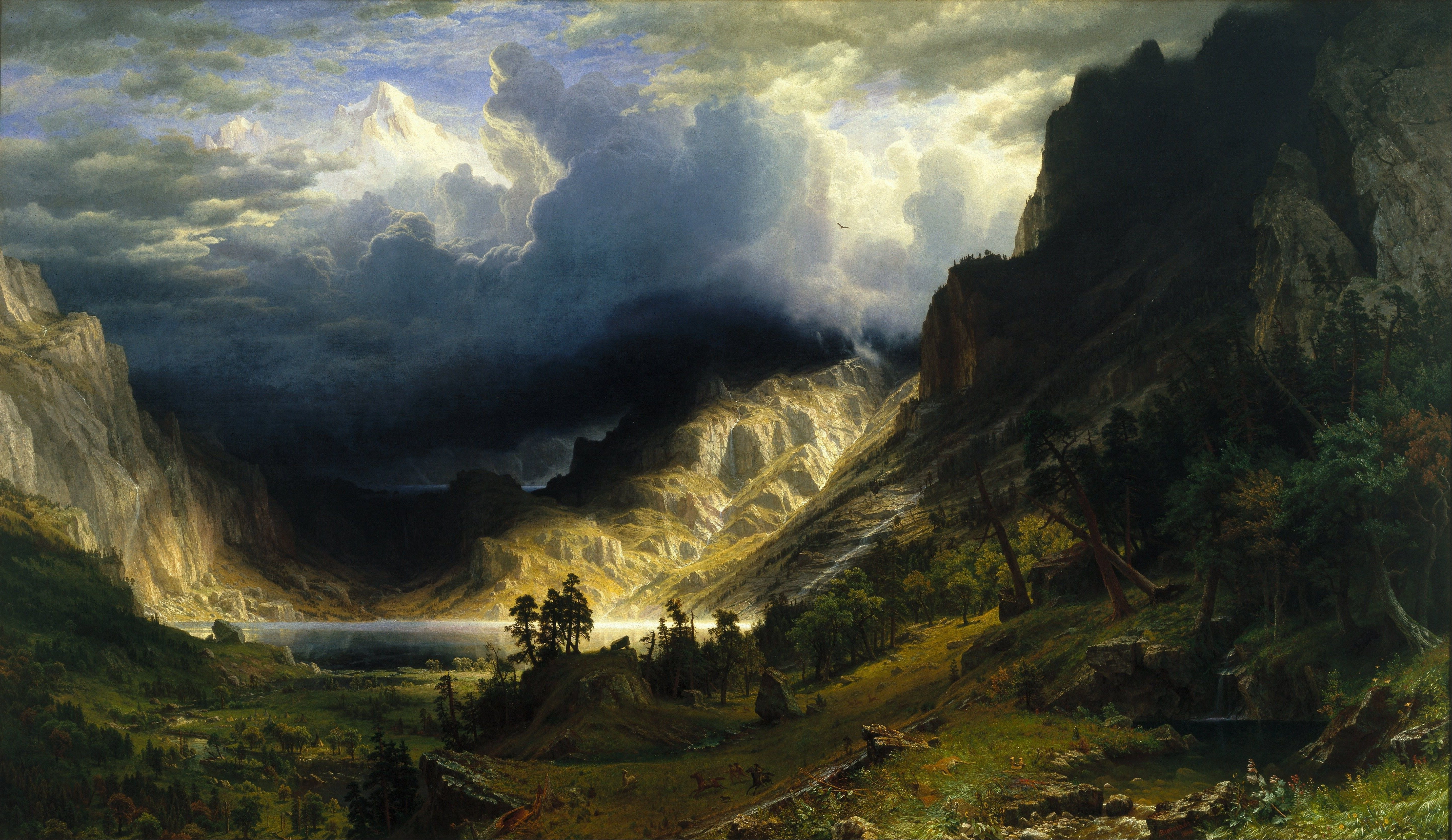
storm.jpg
-
-
waybar/
-
config.jsonc
// -*- mode: jsonc -*- { // "layer": "top", // Waybar at top layer // "position": "bottom", // Waybar position (top|bottom|left|right) "height": 18, // Waybar height (to be removed for auto height) // "width": 1280, // Waybar width "spacing": 2, // Gaps between modules (4px) // Choose the order of the modules // gaps // "margin-top": 4, // "margin-bottom": 4, // "margin-left": 4, // "margin-right": 4, "modules-left": [ "sway/workspaces", "sway/mode", "sway/scratchpad", "custom/media" ], "modules-center": [ "clock" ], "modules-right": [ "mpd", "idle_inhibitor", "pulseaudio", "network", "power-profiles-daemon", "cpu", "memory", "temperature", "backlight", // "keyboard-state", // "sway/language", "battery", "battery#bat2", // "sway/window", "tray", "custom/power" ], // Modules configuration // "sway/workspaces": { // "disable-scroll": true, // "all-outputs": true, // "warp-on-scroll": false, // "format": "{name}: {icon}", // "format-icons": { // "1": "", // "2": "", // "3": "", // "4": "", // "5": "", // "urgent": "", // "focused": "", // "default": "" // } // }, // "keyboard-state": { // "numlock": true, // "capslock": true, // "format": "{name} {icon}", // "format-icons": { // "locked": "", // "unlocked": "" // } // }, // "sway/mode": { // "format": "<span style=\"italic\">{}</span>" // }, // "sway/scratchpad": { // "format": "{icon} {count}", // "show-empty": false, // "format-icons": ["", ""], // "tooltip": true, // "tooltip-format": "{app}: {title}" // }, // "mpd": { // "format": "{stateIcon} {consumeIcon}{randomIcon}{repeatIcon}{singleIcon}{artist} - {album} - {title} ({elapsedTime:%M:%S}/{totalTime:%M:%S}) ⸨{songPosition}|{queueLength}⸩ {volume}% ", // "format-disconnected": "Disconnected ", // "format-stopped": "{consumeIcon}{randomIcon}{repeatIcon}{singleIcon}Stopped ", // "unknown-tag": "N/A", // "interval": 5, // "consume-icons": { // "on": " " // }, // "random-icons": { // "off": "<span color=\"#f53c3c\"></span> ", // "on": " " // }, // "repeat-icons": { // "on": " " // }, // "single-icons": { // "on": "1 " // }, // "state-icons": { // "paused": "", // "playing": "" // }, // "tooltip-format": "MPD (connected)", // "tooltip-format-disconnected": "MPD (disconnected)" // }, "idle_inhibitor": { "format": "{icon}", "format-icons": { "activated": "", "deactivated": "" } }, "tray": { // "icon-size": 21, "spacing": 10, // "icons": { // "blueman": "bluetooth", // "TelegramDesktop": "$HOME/.local/share/icons/hicolor/16x16/apps/telegram.png" // } }, "clock": { // "timezone": "America/New_York", // "tooltip-format": "<big>{:%Y %B}</big>\n<tt><small>{calendar}</small></tt>", // "format-alt": "{:%Y-%m-%d}" "format": "{:%A, %B %d, %Y %H:%M}", "interval": 5 }, "cpu": { "format": "{usage}% ", "tooltip": false }, "memory": { "format": "{}% " }, "temperature": { // "thermal-zone": 2, "hwmon-path": "/sys/class/hwmon/hwmon2/temp1_input", "critical-threshold": 80, // "format-critical": "{temperatureC}°C {icon}", "format": "{temperatureC}°C {icon}", "format-icons": ["", "", ""] }, // "backlight": { // // "device": "acpi_video1", // "format": "{percent}% {icon}", // "format-icons": ["", "", "", "", "", "", "", "", ""] // }, // "battery": { // "states": { // // "good": 95, // "warning": 30, // "critical": 15 // }, // "format": "{capacity}% {icon}", // "format-full": "{capacity}% {icon}", // "format-charging": "{capacity}% ", // "format-plugged": "{capacity}% ", // "format-alt": "{time} {icon}", // // "format-good": "", // An empty format will hide the module // // "format-full": "", // "format-icons": ["", "", "", "", ""] // }, // "battery#bat2": { // "bat": "BAT2" // }, // "power-profiles-daemon": { // "format": "{icon}", // "tooltip-format": "Power profile: {profile}\nDriver: {driver}", // "tooltip": true, // "format-icons": { // "default": "", // "performance": "", // "balanced": "", // "power-saver": "" // } // }, "network": { // "interface": "wlp2*", // (Optional) To force the use of this interface "format-wifi": "{essid} ({signalStrength}%) ", "format-ethernet": "{ipaddr}/{cidr} ", "tooltip-format": "{ifname} via {gwaddr} ", "format-linked": "{ifname} (No IP) ", "format-disconnected": "Disconnected ⚠", "format-alt": "{ifname}: {ipaddr}/{cidr}" }, "pulseaudio": { // "scroll-step": 1, // %, can be a float "format": "{volume}% {icon} {format_source}", "format-bluetooth": "{volume}% {icon} {format_source}", "format-bluetooth-muted": " {icon} {format_source}", "format-muted": " {format_source}", "format-source": "{volume}% ", "format-source-muted": "", "format-icons": { "headphone": " ", "hands-free": " ", "headset": " ", "phone": " ", "portable": " ", "car": " ", "default": [" ", " ", " "] }, "on-click": "pavucontrol" }, // "custom/media": { // "format": "{icon} {text}", // "return-type": "json", // "max-length": 40, // "format-icons": { // "spotify": "", // "default": "🎜" // }, // "escape": true, // "exec": "$HOME/.config/waybar/mediaplayer.py 2> /dev/null" // Script in resources folder // // "exec": "$HOME/.config/waybar/mediaplayer.py --player spotify 2> /dev/null" // Filter player based on name // }, // "custom/power": { // "format" : "⏻ ", // "tooltip": false, // "menu": "on-click", // "menu-file": "$HOME/.config/waybar/power_menu.xml", // Menu file in resources folder // "menu-actions": { // "shutdown": "shutdown", // "reboot": "reboot", // "suspend": "systemctl suspend", // "hibernate": "systemctl hibernate" // } // } } -
style.css
* {
  min-height: 0;
  font-size: 12px;
  font-weight: bold;
  background-color: #191c25;
}

window#waybar {
  background: #191c25;
  color: #eee8d5;
  border: none;
  box-shadow: none;
  animation: none;
}

window#waybar.hidden {
  opacity: 0.2;
}

/* Window states */
window#waybar.termite,
window#waybar.chromium {
  background-color: #191c25;
  border: none;
}

/* Buttons */
button {
  box-shadow: none;
  border: none;
  border-radius: 0;
}

button:hover {
  background: inherit;
  box-shadow: none;
}


/* =========================
   Workspaces
   ========================= */

#workspaces {
  margin: 0;
  padding: 0;
}

#workspaces button {
  min-width: 20px;
  min-height: 20px;
  padding: 0;
  margin: 0;
  border: none;
  border-bottom: 2px solid transparent;
  border-radius: 0;
  box-shadow: none;
  background-color: #191c25;
  color: #eee8d5;
}

#workspaces button:hover {
  background-color: #073642;
  box-shadow: none;
}

#workspaces button.focused {
  color: #eee8d5;
  font-weight: bold;
  border-bottom-color: #2aa198;
}

#workspaces button.urgent {
  background-color: #dc322f;
  color: #eee8d5;
}


/* =========================
   General module spacing
   ========================= */

#clock,
#battery,
#cpu,
#memory,
#disk,
#temperature,
#backlight,
#network,
#pulseaudio,
#wireplumber,
#custom-media,
#tray,
#mode,
#idle_inhibitor,
#scratchpad,
#power-profiles-daemon,
#mpd,
#language,
#keyboard-state,
#privacy {
  margin: 0;
  padding: 0 6px;
  background-color: #191c25;
  color: #eee8d5;
}


/* =========================
   Window
   ========================= */

#window {
  margin: 0;
}


/* =========================
   Mode
   ========================= */

#mode {
  box-shadow: none;
}


/* =========================
   Clock
   ========================= */

#clock {
  color: #eee8d5;
}


/* =========================
   Battery
   ========================= */

#battery {
  color: #eee8d5;
}

#battery.charging,
#battery.plugged {
  color: #859900;
}

@keyframes blink {
  to {
    background-color: #dc322f;
    color: #eee8d5;
  }
}

#battery.critical:not(.charging) {
  background-color: #dc322f;
  color: #eee8d5;
  animation-name: blink;
  animation-duration: 0.5s;
  animation-timing-function: steps(12);
  animation-iteration-count: infinite;
  animation-direction: alternate;
}


/* =========================
   Power profiles
   ========================= */

#power-profiles-daemon.performance {
  background-color: #dc322f;
  color: #eee8d5;
}

#power-profiles-daemon.balanced {
  background-color: #191c25;
  color: #eee8d5;
}

#power-profiles-daemon.power-saver {
  background-color: #191c25;
  color: #859900;
}


/* =========================
   CPU
   ========================= */

#cpu {
    color: #eee8d5;
}


/* =========================
   Memory
   ========================= */

#memory {
  color: #eee8d5;
}


/* =========================
   Disk
   ========================= */

#disk {
  color: #eee8d5;
}


/* =========================
   Backlight
   ========================= */

#backlight {
  color: #eee8d5;
}


/* =========================
   Network
   ========================= */

#network {
  color: #eee8d5;
}

#network.disconnected {
  background-color: #dc322f;
  color: #eee8d5;
}


/* =========================
   Pulseaudio
   ========================= */

#pulseaudio {
  color: #eee8d5;
}

#pulseaudio.muted {
  color: #cb4b16;
}


/* =========================
   Wireplumber
   ========================= */

#wireplumber {
  color: #eee8d5;
}

#wireplumber.muted {
  background-color: #dc322f;
  color: #eee8d5;
}


/* =========================
   Custom media
   ========================= */

#custom-media {
  color: #eee8d5;
  min-width: 100px;
}

#custom-media.custom-spotify,
#custom-media.custom-vlc {
  background-color: #191c25;
}


/* =========================
   Temperature
   ========================= */

#temperature {
  color: #eee8d5;
}

#temperature.critical {
  background-color: #dc322f;
  color: #eee8d5;
}


/* =========================
   Tray
   ========================= */

#tray {
  color: #eee8d5;
}

#tray > .passive {
  -gtk-icon-effect: dim;
}

#tray > .needs-attention {
  -gtk-icon-effect: highlight;
  background-color: #dc322f;
}


/* =========================
   Idle inhibitor
   ========================= */

#idle_inhibitor {
  color: #eee8d5;
}

#idle_inhibitor.activated {
  background-color: #073642;
  color: #2aa198;
}


/* =========================
   MPD
   ========================= */

#mpd {
  color: #eee8d5;
}

#mpd.disconnected {
  background-color: #dc322f;
  color: #eee8d5;
}

#mpd.stopped {
  color: #eee8d5;
}

#mpd.paused {
  color: #b58900;
}


/* =========================
   Language
   ========================= */

#language {
  background: #191c25;
  color: #eee8d5;
  padding: 0 6px;
  margin: 0;
  min-width: 16px;
}


/* =========================
   Keyboard state
   ========================= */

#keyboard-state {
  background: #191c25;
  color: #eee8d5;
  padding: 0;
  margin: 0;
  min-width: 16px;
}

#keyboard-state > label {
  padding: 0 5px;
}

#keyboard-state > label.locked {
  background: rgba(0, 0, 0, 0.2);
}


/* =========================
   Scratchpad
   ========================= */

#scratchpad {
  background: #191c25;
}

#scratchpad.empty {
  background: #191c25;
}


/* =========================
   Privacy
   ========================= */

#privacy {
  padding: 0;
  background: #191c25;
}

#privacy-item {
  padding: 0 5px;
  color: #eee8d5;
  background: #191c25;
}

#privacy-item.screenshare {
  color: #eee8d5;
  background-color: #cb4b16;
}

#privacy-item.audio-in {
  color: #191c25;
  background-color: #859900;
}

#privacy-item.audio-out {
  background-color: #268bd2;
  color: #eee8d5;
}
-
-
xfcei3.nix
{ pkgs, ... }: {

# Enable the XFCE Desktop Environment.
  services.xserver.displayManager.lightdm = {
    enable = true;
    greeters.gtk.theme.name = "Everforest-Dark-B";
    greeters.gtk.iconTheme.name = "Vimix Ruby Dark";
    background = ./wallpaper/storm.jpg;
  };
  services.xserver.desktopManager.xfce.enable = true;

# Configure keymap in X11
  services.xserver = {
    enable = true;
    xkb.layout = "us";
    xkb.variant = "";
  };

# Enable Sway.
  programs.sway = {
    enable = true;
    wrapperFeatures.gtk = true;
  };
               }
-
-
-
-
home/
-
alex/
-
.config/
-
sway/
-
bindings/
-
bindconf
# start a terminal
bindsym Mod1+Return exec xfce4-terminal
bindsym XF86AudioRaiseVolume exec wpctl set-volume -l 1.5 @DEFAULT_AUDIO_SINK@ 5%+ ; exec pkill -SIGRTMIN+10 i3blocks
bindsym XF86AudioLowerVolume exec wpctl set-volume @DEFAULT_AUDIO_SINK@ 5%- ; exec pkill -SIGRTMIN+10 i3blocks
#include ~/.config/sway/bindings/bindconf
bindsym $mod+Return exec alacritty -e tmux new-session -A -s main
bindsym $mod+Shift+e exec ~/.config/sway/powermenu
#bindsym $mod+Shift+e exec sway exit

# kill focused window
bindsym $mod+Shift+q kill
                            #APPLICATION LAUNCHER#
# start dmenu (a program launcher)
# bindsym $mod+d exec dmenu_run
bindsym Mod1+d exec rofi -show drun
#bindsym Mod1+Shift+l exec xflock4
#bindsym Mod1+Tab exec rofi -show window
#bindsym Mod1+p exec xfce4-popup-whiskermenu
#bindsym Mod1+s exec xfce4-appfinder
#for_window [class="Xfce4-appfinder" instance="xfce4-appfinder"] floating enable
                            #APPLICATION LAUNCHER#
# change focus
bindsym $mod+j focus left
bindsym $mod+k focus down
bindsym $mod+l focus up
bindsym $mod+semicolon focus right

# alternatively, you can use the cursor keys:
bindsym $mod+Left focus left
bindsym $mod+Down focus down
bindsym $mod+Up focus up
bindsym $mod+Right focus right

# move focused window
bindsym $mod+Shift+j move left
bindsym $mod+Shift+k move down
bindsym $mod+Shift+l move up
bindsym $mod+Shift+semicolon move right

# alternatively, you can use the cursor keys:
bindsym $mod+Shift+Left move left
bindsym $mod+Shift+Down move down
bindsym $mod+Shift+Up move up
bindsym $mod+Shift+Right move right

# split in horizontal orientation
bindsym $mod+h split h

# split in vertical orientation
bindsym $mod+v split v

# enter fullscreen mode for the focused container
bindsym $mod+f fullscreen toggle

# change container layout (stacked, tabbed, toggle split)
bindsym $mod+s layout stacking
bindsym $mod+w layout tabbed
bindsym $mod+e layout toggle split

# toggle tiling / floating
bindsym $mod+Shift+space floating toggle

# change focus between tiling / floating windows
bindsym $mod+space focus mode_toggle

# focus the parent container
bindsym $mod+a focus parent

# switch to workspace
bindsym $mod+1 workspace $ws1
bindsym $mod+2 workspace $ws2
bindsym $mod+3 workspace $ws3
bindsym $mod+4 workspace $ws4
bindsym $mod+5 workspace $ws5
bindsym $mod+6 workspace $ws6
bindsym $mod+7 workspace $ws7
bindsym $mod+8 workspace $ws8
bindsym $mod+9 workspace $ws9
bindsym $mod+0 workspace $ws10

# move focused container to workspace
bindsym $mod+Shift+1 move container to workspace $ws1
bindsym $mod+Shift+2 move container to workspace $ws2
bindsym $mod+Shift+3 move container to workspace $ws3
bindsym $mod+Shift+4 move container to workspace $ws4
bindsym $mod+Shift+5 move container to workspace $ws5
bindsym $mod+Shift+6 move container to workspace $ws6
bindsym $mod+Shift+7 move container to workspace $ws7
bindsym $mod+Shift+8 move container to workspace $ws8
bindsym $mod+Shift+9 move container to workspace $ws9
bindsym $mod+Shift+0 move container to workspace $ws10

# Move roskpaces between monitors
# Move workspaces betweeen monitors
bindsym $mod+Control+p move workspace to output DP-2
bindsym $mod+Control+n move workspace to output HDMI-1
bindsym $mod+Control+l move workspace to output right
bindsym $mod+Control+k move workspace to output left
#bindsym $mod+Control+j move workspace to output down
#bindsym $mod+Control+k move workspace to output up
bindsym $mod+Tab workspace back_and_forth

# reload the configuration file
bindsym $mod+Shift+r reload

bindsym $mod+r mode "resize"

bindsym Mod1+a exec flameshot gui
bindsym Print exec flameshot gui

# change gaps size
bindsym $mod+Shift+t gaps inner current set 4; gaps outer current set 0
bindsym $mod+Shift+s gaps inner current plus 4
bindsym $mod+Shift+f gaps inner current minus 4
bindsym $mod+Shift+d gaps inner current set 0; gaps outer current set 0

# Program Launches
bindsym Mod1+Shift+d exec --no-startup-id thunar
bindsym Mod1+Shift+m exec --no-startup-id alacritty -e ncmpcpp
bindsym Mod1+Shift+k exec pkill mpd
#bindsym Mod1+l exec pkill xfce4-panel


# Swaylock
bindsym Mod1+Shift+l exec swaylock \
  --color 002b36 \
  --font "JetBrainsMono Nerd Font" \
  --font-size 32 \
  --indicator-radius 100 \
  --indicator-thickness 5 \
  --inside-color 002b36 \
  --ring-color 586e75 \
  --line-color 002b36 \
  --inside-clear-color 002b36 \
  --ring-clear-color 93a1a1 \
  --inside-ver-color 002b36 \
  --ring-ver-color 268bd2 \
  --inside-wrong-color 002b36 \
  --ring-wrong-color dc322f \
  --key-hl-color b58900 \
  --bs-hl-color dc322f \
  --text-color fdf6e3 \
  --text-clear-color fdf6e3 \
  --text-ver-color fdf6e3 \
  --text-wrong-color fdf6e3
-
-
config
# dependencies xfce4-panel and xfce4-appfinder set $mod Mod4 font pango:monospace 6 titlebar_padding 1 1 seat seat0 xcursor_theme everforest-cursors #OG Value 8 # Use Mouse+$mod to drag floating windows to their wanted position floating_modifier $mod # focus the child container #bindsym $mod+d focus child include ~/.config/sway/bindings/bindconf # Define names for default workspaces for which we configure key bindings later on. # We use variables to avoid repeating the names in multiple places. set $ws1 1 set $ws2 2 set $ws3 3 set $ws4 4 set $ws5 5 set $ws6 6 set $ws7 7 set $ws8 8 set $ws9 9 set $ws10 10 # restart i3 inplace (preserves your layout/session, can be used to upgrade i3) #bindsym $mod+Shift+r restart # exit i3 (logs you out of your X session) # resize window (you can also use the mouse for that) mode "resize" { # These bindings trigger as soon as you enter the resize mode # Pressing left will shrink the window’s width. # Pressing right will grow the window’s width. # Pressing up will shrink the window’s height. # Pressing down will grow the window’s height. bindsym j resize shrink width 10 px or 10 ppt bindsym k resize grow height 10 px or 10 ppt bindsym l resize shrink height 10 px or 10 ppt bindsym semicolon resize grow width 10 px or 10 ppt # same bindings, but for the arrow keys bindsym Left resize shrink width 10 px or 10 ppt bindsym Down resize grow height 10 px or 10 ppt bindsym Up resize shrink height 10 px or 10 ppt bindsym Right resize grow width 10 px or 10 ppt # back to normal: Enter or Escape or $mod+r bindsym Return mode "default" bindsym Escape mode "default" bindsym $mod+r mode "default" } exec xrandr -s 2560x1440 --rate 165.00 exec --no-startup-id tmux -e bash exec nm-applet --indicator bindsym Mod1+c exec pkill picom bindsym Mod1+v exec picom #exec_always bash ~/.config/sway/startups/bg.sh & exec_always waytrogen --restore & exec_always dbus-update-activation-environment DISPLAY exec_always --no-startup-id picom & exec systemctl --user import-environment WAYLAND_DISPLAY DISPLAY XDG_CURRENT_DESKTOP SWAYSOCK I3SOCK XCURSOR_SIZE XCURSOR_THEME & exec_always sh -c 'pkill -9 waybar; sleep 0.5; waybar' # gapsconfig for_window [class="^.*"] border pixel 2 gaps inner 2 gaps outer 2 # gapsconfig # set primary gruvbox colorscheme colors set $bg #282828 set $red #cc241d set $green #98971a set $yellow #d79921 set $blue #458588 set $purple #b16286 set $aqua #689d68 set $gray #a89984 set $darkgray #1d2021 # Swaybar #bar { # # colors { # separator #1f222d # background #1f222d # statusline #81a1c1 # # # border background text # focused_workspace #1f222d #1f222d #81a1c1 # active_workspace #1f222d #252936 #5e81ac # inactive_workspace #1f222d #1f222d #4c566a # urgent_workspace #1f222d #1f222d #ee829f # binding_mode #1f222d #81a1c1 #2e3440 # } # # font pango:Hack 10.5 # position top # status_command i3blocks # tray_output * #} # class border backgr. text indicator child_border client.focused #2c363d #3c464d #ffffff #7e7e7e #a7a7a7 client.focused_inactive #333333 #5f676a #ffffff #484e50 #5f676a client.unfocused #333333 #222222 #888888 #292d2e #7d7d7d client.urgent #2f343a #900000 #ffffff #900000 #900000 client.placeholder #000000 #0c0c0c #ffffff #000000 #0c0c0c client.background #282a2e -
config.lol
# dependencies xfce4-panel and xfce4-appfinder set $mod Mod4 font pango:monospace 6 titlebar_padding 1 1 #OG Value 8 # Use Mouse+$mod to drag floating windows to their wanted position floating_modifier $mod # focus the child container #bindsym $mod+d focus child include ~/.config/sway/bindings/bindconf # Define names for default workspaces for which we configure key bindings later on. # We use variables to avoid repeating the names in multiple places. set $ws1 1 set $ws2 2 set $ws3 3 set $ws4 4 set $ws5 5 set $ws6 6 set $ws7 7 set $ws8 8 set $ws9 9 set $ws10 10 # restart i3 inplace (preserves your layout/session, can be used to upgrade i3) #bindsym $mod+Shift+r restart # exit i3 (logs you out of your X session) # resize window (you can also use the mouse for that) mode "resize" { # These bindings trigger as soon as you enter the resize mode # Pressing left will shrink the window’s width. # Pressing right will grow the window’s width. # Pressing up will shrink the window’s height. # Pressing down will grow the window’s height. bindsym j resize shrink width 10 px or 10 ppt bindsym k resize grow height 10 px or 10 ppt bindsym l resize shrink height 10 px or 10 ppt bindsym semicolon resize grow width 10 px or 10 ppt # same bindings, but for the arrow keys bindsym Left resize shrink width 10 px or 10 ppt bindsym Down resize grow height 10 px or 10 ppt bindsym Up resize shrink height 10 px or 10 ppt bindsym Right resize grow width 10 px or 10 ppt # back to normal: Enter or Escape or $mod+r bindsym Return mode "default" bindsym Escape mode "default" bindsym $mod+r mode "default" } exec xrandr -s 2560x1440 --rate 165.00 exec --no-startup-id tmux -e bash exec nm-applet --indicator bindsym Mod1+c exec pkill picom bindsym Mod1+v exec picom #exec_always bash ~/.config/sway/startups/bg.sh & exec_always waytrogen --restore & exec_always dbus-update-activation-environment DISPLAY exec_always --no-startup-id picom & exec systemctl --user import-environment WAYLAND_DISPLAY DISPLAY XDG_CURRENT_DESKTOP SWAYSOCK I3SOCK XCURSOR_SIZE XCURSOR_THEME & exec_always sh -c 'pkill -9 waybar; sleep 0.5; waybar' # gapsconfig for_window [class="^.*"] border pixel 2 gaps inner 2 gaps outer 2 # gapsconfig # set primary gruvbox colorscheme colors set $bg #282828 set $red #cc241d set $green #98971a set $yellow #d79921 set $blue #458588 set $purple #b16286 set $aqua #689d68 set $gray #a89984 set $darkgray #1d2021 # Swaybar #bar { # # colors { # separator #1f222d # background #1f222d # statusline #81a1c1 # # # border background text # focused_workspace #1f222d #1f222d #81a1c1 # active_workspace #1f222d #252936 #5e81ac # inactive_workspace #1f222d #1f222d #4c566a # urgent_workspace #1f222d #1f222d #ee829f # binding_mode #1f222d #81a1c1 #2e3440 # } # # font pango:Hack 10.5 # position top # status_command i3blocks # tray_output * #} # class border backgr. text indicator child_border client.focused #2c363d #3c464d #ffffff #7e7e7e #a7a7a7 client.focused_inactive #333333 #5f676a #ffffff #484e50 #5f676a client.unfocused #333333 #222222 #888888 #292d2e #7d7d7d client.urgent #2f343a #900000 #ffffff #900000 #900000 client.placeholder #000000 #0c0c0c #ffffff #000000 #0c0c0c client.background #282a2e -
powermenu
#!/usr/bin/env bash options=" Lock\n Suspend\n Restart\n Power Off\n Log Out" chosen=$(printf "$options" | rofi -dmenu -i -p "Power") case "$chosen" in " Lock") swaylock ;; " Suspend") systemctl suspend ;; " Restart") systemctl reboot ;; " Power Off") systemctl poweroff ;; " Log Out") swaymsg exit ;; esac -
startups/
-
bg.sh
#!/usr/bin/env bash
sleep 1 && swaybg -i ~/Pictures/wallpaper/other/apocolyptic/paw.jpg
-
-
wifiapplet.sh
#!/bin/bash

# Rofi NetworkManager Wi-Fi menu

ROFI="rofi -dmenu -i -p 'Wi-Fi'"
NMCLI="nmcli"

# Make sure NetworkManager is available
if ! command -v nmcli >/dev/null 2>&1; then
    notify-send "Network Menu" "nmcli is not installed."
    exit 1
fi

# Rescan Wi-Fi networks
$NMCLI device wifi rescan >/dev/null 2>&1

# Get currently connected SSID
CURRENT=$($NMCLI -t -f ACTIVE,SSID device wifi | awk -F: '$1=="yes" {print $2; exit}')

# Build network list
NETWORKS=$(
    $NMCLI -t -f SSID,SIGNAL,SECURITY device wifi list |
    awk -F: '
    BEGIN { OFS="|" }
    $1 != "" {
        ssid=$1
        signal=$2
        security=$3

        # Avoid duplicate SSIDs
        if (!seen[ssid]++) {
            print ssid, signal, security
        }
    }'
)

# Add special options
MENU=""

while IFS='|' read -r SSID SIGNAL SECURITY; do
    [ -z "$SSID" ] && continue

    if [ "$SSID" = "$CURRENT" ]; then
        MENU+="✓ $SSID  [$SIGNAL%]  $SECURITY"$'\n'
    else
        MENU+="  $SSID  [$SIGNAL%]  $SECURITY"$'\n'
    fi
done <<< "$NETWORKS"

MENU+="  Disconnect"
MENU+="  Rescan"

# Show Rofi menu
CHOICE=$(printf "%s\n" "$MENU" | $ROFI)

[ -z "$CHOICE" ] && exit 0

# Handle special options
if [[ "$CHOICE" == *"Disconnect"* ]]; then
    $NMCLI device disconnect "$(nmcli -t -f DEVICE,TYPE device | awk -F: '$2=="wifi" {print $1; exit}')"
    notify-send "Wi-Fi" "Disconnected"
    exit 0
fi

if [[ "$CHOICE" == *"Rescan"* ]]; then
    exec "$0"
fi

# Remove display formatting
SELECTED=$(echo "$CHOICE" | sed -E 's/^[✓ ]+//; s/  \[[0-9]+%\]  .*//')

# Check whether NetworkManager already knows the connection
if $NMCLI connection show "$SELECTED" >/dev/null 2>&1; then
    $NMCLI connection up "$SELECTED"

    if [ $? -eq 0 ]; then
        notify-send "Wi-Fi" "Connected to $SELECTED"
    else
        notify-send "Wi-Fi" "Failed to connect to $SELECTED"
    fi

    exit 0
fi

# Determine security type
SECURITY=$(echo "$NETWORKS" | awk -F'|' -v ssid="$SELECTED" '$1==ssid {print $3; exit}')

if [ "$SECURITY" = "--" ] || [ -z "$SECURITY" ]; then
    # Open network
    $NMCLI device wifi connect "$SELECTED"

    if [ $? -eq 0 ]; then
        notify-send "Wi-Fi" "Connected to $SELECTED"
    else
        notify-send "Wi-Fi" "Failed to connect to $SELECTED"
    fi
else
    # Password-protected network
    PASSWORD=$(rofi -dmenu -password -p "Password")

    [ -z "$PASSWORD" ] && exit 0

    $NMCLI device wifi connect "$SELECTED" password "$PASSWORD"

    if [ $? -eq 0 ]; then
        notify-send "Wi-Fi" "Connected to $SELECTED"
    else
        notify-send "Wi-Fi" "Failed to connect to $SELECTED"
    fi
fi
-
-
waybar/
-
config.jsonc
// -*- mode: jsonc -*- { // "layer": "top", // Waybar at top layer // "position": "bottom", // Waybar position (top|bottom|left|right) "height": 18, // Waybar height (to be removed for auto height) // "width": 1280, // Waybar width "spacing": 2, // Gaps between modules (4px) // Choose the order of the modules // gaps // "margin-top": 4, // "margin-bottom": 4, // "margin-left": 4, // "margin-right": 4, "modules-left": [ "sway/workspaces", "sway/mode", "sway/scratchpad", "custom/media" ], "modules-center": [ "clock" ], "modules-right": [ "mpd", "idle_inhibitor", "pulseaudio", "network", "power-profiles-daemon", "cpu", "memory", "temperature", // "backlight", // "keyboard-state", // "sway/language", "battery", "battery#bat2", // "sway/window", "tray" // "custom/power" ], // Modules configuration "sway/workspaces": { "disable-scroll": false, "all-outputs": false, "warp-on-scroll": false, // "format": "{name}: {icon}", // "format-icons": { // "1": "", // "2": "", // "3": "", // "4": "", // "5": "", // "urgent": "", // "focused": "", // "default": "" // } }, "keyboard-state": { "numlock": true, "capslock": true, "format": "{name} {icon}", "format-icons": { "locked": "", "unlocked": "" } }, "sway/mode": { "format": "<span style=\"italic\">{}</span>" }, "sway/scratchpad": { "format": "{icon} {count}", "show-empty": false, "format-icons": ["", ""], "tooltip": true, "tooltip-format": "{app}: {title}" }, "mpd": { "format": "{stateIcon} {consumeIcon}{randomIcon}{repeatIcon}{singleIcon}{artist} - {album} - {title} ({elapsedTime:%M:%S}/{totalTime:%M:%S}) ⸨{songPosition}|{queueLength}⸩ {volume}% ", "format-disconnected": "Disconnected ", "format-stopped": "{consumeIcon}{randomIcon}{repeatIcon}{singleIcon}Stopped ", "unknown-tag": "N/A", "interval": 5, "consume-icons": { "on": " " }, "random-icons": { "off": "<span color=\"#f53c3c\"></span> ", "on": " " }, "repeat-icons": { "on": " " }, "single-icons": { "on": "1 " }, "state-icons": { "paused": "", "playing": "" }, "tooltip-format": "MPD (connected)", "tooltip-format-disconnected": "MPD (disconnected)" }, "idle_inhibitor": { "format": "{icon}", "format-icons": { "activated": "", "deactivated": "" } }, "tray": { // "icon-size": 21, "spacing": 10, // "icons": { // "blueman": "bluetooth", // "TelegramDesktop": "$HOME/.local/share/icons/hicolor/16x16/apps/telegram.png" // } }, "clock": { // "timezone": "America/New_York", // "tooltip-format": "<big>{:%Y %B}</big>\n<tt><small>{calendar}</small></tt>", // "format-alt": "{:%Y-%m-%d}" "format": "{:%A, %B %d, %Y %H:%M}", "interval": 5 }, "cpu": { "format": "{usage}% ", "tooltip": false }, "memory": { "format": "{}% " }, "temperature": { // "thermal-zone": 2, "hwmon-path": "/sys/class/hwmon/hwmon2/temp1_input", "critical-threshold": 80, // "format-critical": "{temperatureC}°C {icon}", "format": "{temperatureC}°C {icon}", "format-icons": ["", "", ""] }, // "backlight": { // // "device": "acpi_video1", // "format": "{percent}% {icon}", // "format-icons": ["", "", "", "", "", "", "", "", ""] // }, // "battery": { // "states": { // // "good": 95, // "warning": 30, // "critical": 15 // }, // "format": "{capacity}% {icon}", // "format-full": "{capacity}% {icon}", // "format-charging": "{capacity}% ", // "format-plugged": "{capacity}% ", // "format-alt": "{time} {icon}", // // "format-good": "", // An empty format will hide the module // // "format-full": "", // "format-icons": ["", "", "", "", ""] // }, // "battery#bat2": { // "bat": "BAT2" // }, // "power-profiles-daemon": { // "format": "{icon}", // "tooltip-format": "Power profile: {profile}\nDriver: {driver}", // "tooltip": true, // "format-icons": { // "default": "", // "performance": "", // "balanced": "", // "power-saver": "" // } // }, "network": { // "interface": "wlp2*", // (Optional) To force the use of this interface "format-wifi": "{essid} ({signalStrength}%) ", "format-ethernet": "{ipaddr}/{cidr} ", "tooltip-format": "{ifname} via {gwaddr} ", "format-linked": "{ifname} (No IP) ", "format-disconnected": "Disconnected ⚠", "format-alt": "{ifname}: {ipaddr}/{cidr}" }, "pulseaudio": { // "scroll-step": 1, // %, can be a float "format": "{volume}% {icon} {format_source}", "format-bluetooth": "{volume}% {icon} {format_source}", "format-bluetooth-muted": " {icon} {format_source}", "format-muted": " {format_source}", "format-source": "{volume}% ", "format-source-muted": "", "format-icons": { "headphone": " ", "hands-free": " ", "headset": " ", "phone": " ", "portable": " ", "car": " ", "default": [" ", " ", " "] }, "on-click": "pavucontrol" }, "custom/media": { "format": "{icon} {text}", "return-type": "json", "max-length": 40, "format-icons": { "spotify": "", "default": "🎜" }, "escape": true, "exec": "$HOME/.config/waybar/mediaplayer.py 2> /dev/null" // Script in resources folder // "exec": "$HOME/.config/waybar/mediaplayer.py --player spotify 2> /dev/null" // Filter player based on name }, "custom/power": { "format" : "⏻ ", "tooltip": false, "menu": "on-click", "menu-file": "$HOME/.config/waybar/power_menu.xml", // Menu file in resources folder "menu-actions": { "shutdown": "shutdown", "reboot": "reboot", "suspend": "systemctl suspend", "hibernate": "systemctl hibernate" } } } -
style.css
* {
  min-height: 0;
  font-size: 12px;
  font-weight: bold;
}

window#waybar {
  background: rgba(25, 28, 37, 0.94);
  color: #eee8d5;
  border: none;
  box-shadow: none;
  animation: none;
}

window#waybar.hidden {
  opacity: 0.2;
}

/* Window states */
window#waybar.termite,
window#waybar.chromium {
  background-color: transparent;
  border: none;
}

/* Buttons */
button {
  box-shadow: none;
  border: none;
  border-radius: 0;
}

button:hover {
  background: inherit;
  box-shadow: none;
}


/* =========================
   Workspaces
   ========================= */

#workspaces {
  margin: 0;
  padding: 0;
}

#workspaces button {
  min-width: 20px;
  min-height: 20px;
  padding: 0;
  margin: 0;
  border: none;
  border-bottom: 2px solid transparent;
  border-radius: 0;
  box-shadow: none;
  background-color: transparent;
  color: #eee8d5;
}

#workspaces button:hover {
  background-color: #073642;
  box-shadow: none;
}

#workspaces button.focused {
  color: #eee8d5;
  font-weight: bold;
  border-bottom-color: #2aa198;
}

#workspaces button.urgent {
  background-color: #dc322f;
  color: #eee8d5;
}


/* =========================
   General module spacing
   ========================= */

#clock,
#battery,
#cpu,
#memory,
#disk,
#temperature,
#backlight,
#network,
#pulseaudio,
#wireplumber,
#custom-media,
#tray,
#mode,
#idle_inhibitor,
#scratchpad,
#power-profiles-daemon,
#mpd,
#language,
#keyboard-state,
#privacy {
  margin: 0;
  padding: 0 6px;
  background-color: transparent;
  color: #eee8d5;
}


/* =========================
   Window
   ========================= */

#window {
  margin: 0;
}


/* =========================
   Mode
   ========================= */

#mode {
  box-shadow: none;
}


/* =========================
   Clock
   ========================= */

#clock {
  color: #eee8d5;
}


/* =========================
   Battery
   ========================= */

#battery {
  color: #eee8d5;
}

#battery.charging,
#battery.plugged {
  color: #859900;
}

@keyframes blink {
  to {
    background-color: #dc322f;
    color: #eee8d5;
  }
}

#battery.critical:not(.charging) {
  background-color: #dc322f;
  color: #eee8d5;
  animation-name: blink;
  animation-duration: 0.5s;
  animation-timing-function: steps(12);
  animation-iteration-count: infinite;
  animation-direction: alternate;
}


/* =========================
   Power profiles
   ========================= */

#power-profiles-daemon.performance {
  background-color: #dc322f;
  color: #eee8d5;
}

#power-profiles-daemon.balanced {
  background-color: transparent;
  color: #eee8d5;
}

#power-profiles-daemon.power-saver {
  background-color: transparent;
  color: #859900;
}


/* =========================
   CPU
   ========================= */

#cpu {
  color: #eee8d5;
}


/* =========================
   Memory
   ========================= */

#memory {
  color: #eee8d5;
}


/* =========================
   Disk
   ========================= */

#disk {
  color: #eee8d5;
}


/* =========================
   Backlight
   ========================= */

#backlight {
  color: #eee8d5;
}


/* =========================
   Network
   ========================= */

#network {
  color: #eee8d5;
}

#network.disconnected {
  background-color: #dc322f;
  color: #eee8d5;
}


/* =========================
   Pulseaudio
   ========================= */

#pulseaudio {
  color: #eee8d5;
}

#pulseaudio.muted {
  color: #cb4b16;
}


/* =========================
   Wireplumber
   ========================= */

#wireplumber {
  color: #eee8d5;
}

#wireplumber.muted {
  background-color: #dc322f;
  color: #eee8d5;
}


/* =========================
   Custom media
   ========================= */

#custom-media {
  color: #eee8d5;
  min-width: 100px;
}

#custom-media.custom-spotify,
#custom-media.custom-vlc {
  background-color: transparent;
}


/* =========================
   Temperature
   ========================= */

#temperature {
  color: #eee8d5;
}

#temperature.critical {
  background-color: #dc322f;
  color: #eee8d5;
}


/* =========================
   Tray
   ========================= */

#tray {
  color: #eee8d5;
}

#tray > .passive {
  -gtk-icon-effect: dim;
}

#tray > .needs-attention {
  -gtk-icon-effect: highlight;
  background-color: #dc322f;
}


/* =========================
   Idle inhibitor
   ========================= */

#idle_inhibitor {
  color: #eee8d5;
}

#idle_inhibitor.activated {
  background-color: #073642;
  color: #2aa198;
}


/* =========================
   MPD
   ========================= */

#mpd {
  color: #eee8d5;
}

#mpd.disconnected {
  background-color: #dc322f;
  color: #eee8d5;
}

#mpd.stopped {
  color: #eee8d5;
}

#mpd.paused {
  color: #b58900;
}


/* =========================
   Language
   ========================= */

#language {
  background: transparent;
  color: #eee8d5;
  padding: 0 6px;
  margin: 0;
  min-width: 16px;
}


/* =========================
   Keyboard state
   ========================= */

#keyboard-state {
  background: transparent;
  color: #eee8d5;
  padding: 0;
  margin: 0;
  min-width: 16px;
}

#keyboard-state > label {
  padding: 0 5px;
}

#keyboard-state > label.locked {
  background: rgba(0, 0, 0, 0.2);
}


/* =========================
   Scratchpad
   ========================= */

#scratchpad {
  background: transparent;
}

#scratchpad.empty {
  background: transparent;
}


/* =========================
   Privacy
   ========================= */

#privacy {
  padding: 0;
  background: transparent;
}

#privacy-item {
  padding: 0 5px;
  color: #eee8d5;
  background: transparent;
}

#privacy-item.screenshare {
  color: #eee8d5;
  background-color: #cb4b16;
}

#privacy-item.audio-in {
  color: #191c25;
  background-color: #859900;
}

#privacy-item.audio-out {
  background-color: #268bd2;
  color: #eee8d5;
}
-
-
-
-